

Retail pro AV systems are the commercial-grade audio, video, signage, control and cabling that a store uses to shape mood, show products and talk to shoppers all day. "Pro AV" stands for professional audio-visual. Equipment should be selected for the store’s operating hours, environment and control needs, then installed as a coordinated system.
Use the zone-planning table, five-step process and vendor checklist below to plan a system and compare installation proposals.
Why retail pro AV systems matter to a store
Retail pro AV systems help stores manage sound, product information and brand messaging across locations. Results depend on content, placement and day-to-day operation; equipment alone does not guarantee longer visits or more sales.
Sound supports a comfortable shopping environment
Audio should suit the space without making conversation difficult. A system designed with different audio zones lets staff set separate levels for the entrance, sales floor and fitting rooms.
Speaker placement, level settings and room acoustics all affect paging clarity and music coverage. Use a music service licensed for business use, and confirm coverage for your location and activities. Consumer streaming subscriptions generally exclude commercial playback.
Set audio levels for the people using each zone, not just for the room as a whole.
Video and signage support product information
Displays can show product information when staff are helping other customers. A window display needs brightness and environmental ratings suited to its location. Endcap screens explain a product at the shelf, and a video wall gives a flagship store a focal point. Interactive screens or kiosks can show items that are not on the floor.
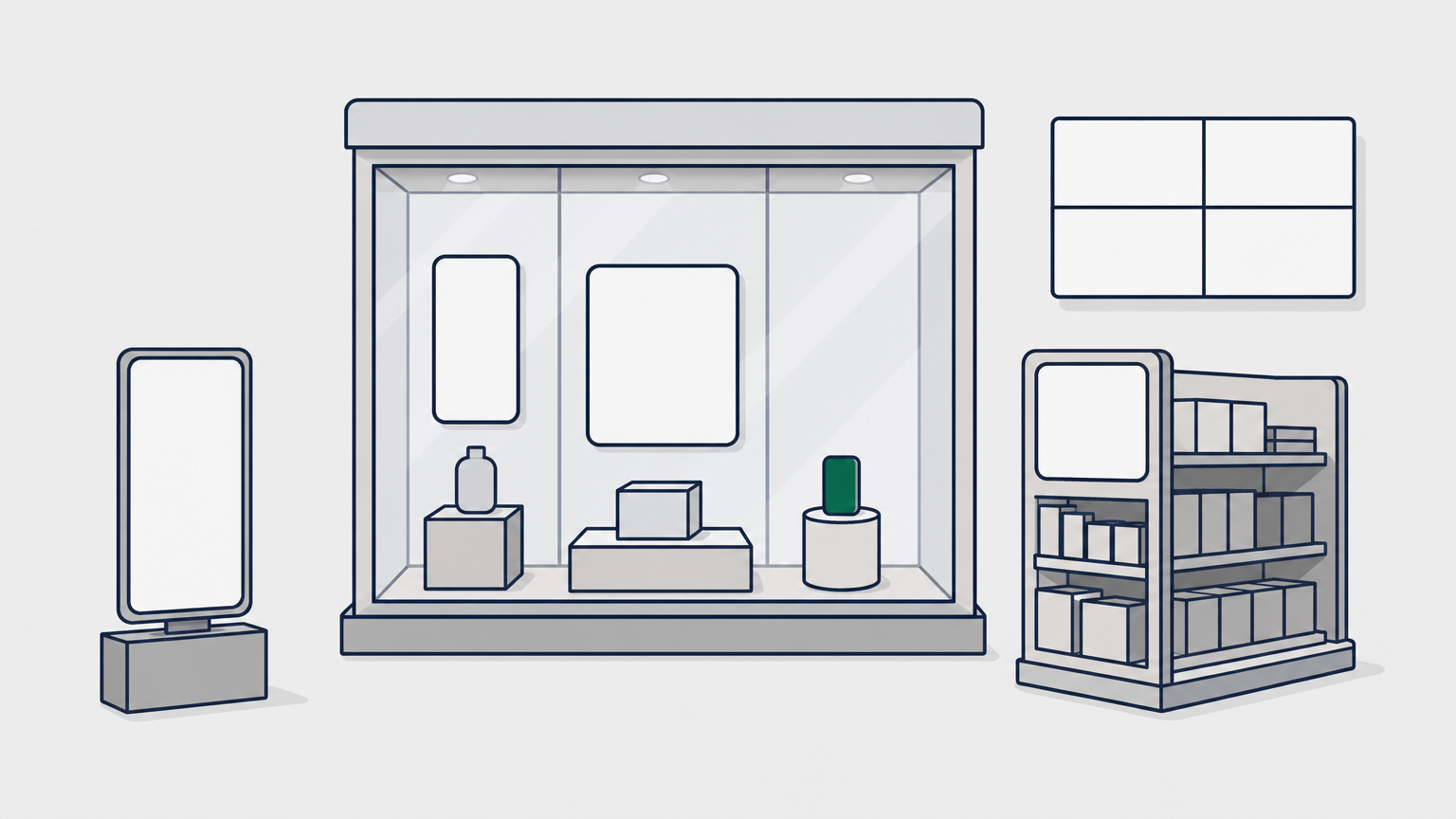
With compatible displays or players and a content management system, one team can schedule updates across stores. Confirm software licensing, network access and playback reporting so staff can check that each location received the right promotion.
How to plan a retail AV system from scratch
Plan by zone, not by device. Decide what job each part of the store has, choose equipment to match, and lock down cabling and power before fixtures and finishes go in.
Walk the store zone by zone
Walk the floor plan and give every area a purpose. This table shows a typical starting point.
| Zone | AV job | Typical equipment |
|---|---|---|
| Storefront and entrance | Draw people in | High-brightness window display, entry audio |
| Sales floor | Set mood, promote products | Zoned ceiling speakers, endcap displays |
| Fitting rooms | Keep shoppers comfortable | Separate, quieter audio zone |
| Checkout | Give clear messages | Customer-facing display, paging |
| Stockroom and office | Support staff | Paging, training display |
As an illustration, a 5,000-square-foot apparel store might use four audio zones (entrance, floor, fitting rooms, stockroom) and a handful of displays. The point is not the count but that every device has a stated job.
Follow five steps in order
- Set goals. Decide whether the priority is dwell time, promotion speed, brand consistency or all three.
- Survey the space. Check ceiling type, glare from windows, ambient noise and where power exists.
- Run cabling and power early. Have the installer confirm cable ratings and pathways for the applicable code and coordinate electrical work before walls and finishes are complete.
- Choose controls staff can use. A manager should be able to change volume or a playlist without calling the integrator.
- Commission and train. Have the installer calibrate, test and document the system, then train your team.
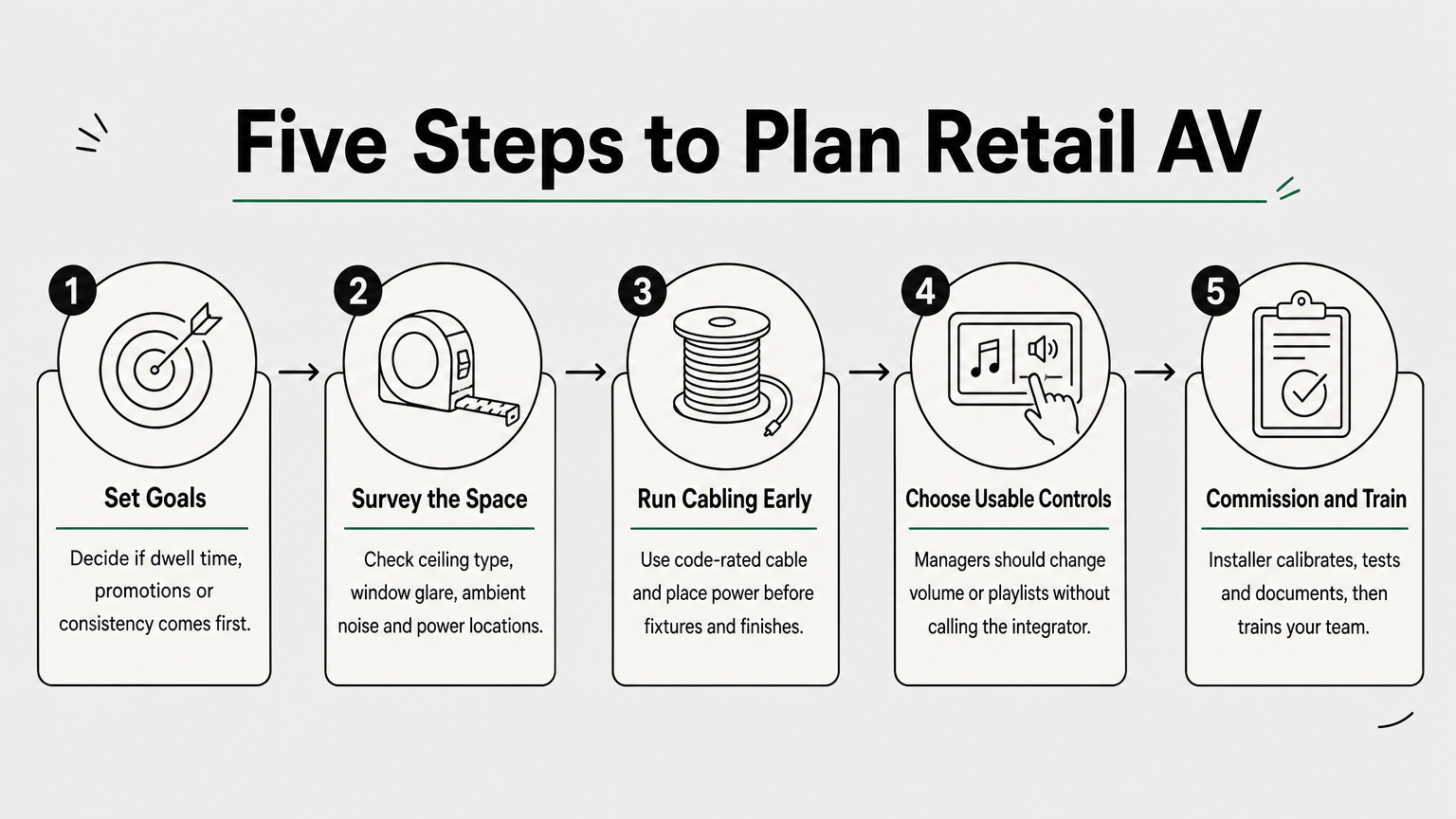
Coordinate cabling, network access and power before construction closes off access.
What retail pro AV equipment includes
A retail pro AV system has five layers: audio, video and signage, control, network and cabling, and the services that make them work together. Knowing the layers helps you read a quote and spot what is missing.
The five layers at a glance
| Layer | What it is | Why retail needs it |
|---|---|---|
| Audio | Zoned speakers, amplifiers, a digital signal processor, a licensed music source | Even coverage and separate levels per area |
| Video and signage | Commercial displays, direct-view LED walls, media players, content software | Scheduled, consistent messaging |
| Control | Touch panels or apps, scheduling, remote monitoring | Daily operation and visibility into supported devices |
| Network and cabling | Structured low-voltage cabling, switches | A stable base for everything else |
| Services | Design, installation, programming, commissioning, training, support | Documented setup, handover and ongoing maintenance |
Why commercial-grade gear matters
Check the specific model’s operating-hour rating, installation limits and commercial warranty terms. Commercial does not automatically mean 24/7: Samsung’s QBC signage specifications, for example, list 16 hours a day, seven days a week. Remote monitoring and content distribution also depend on supported hardware, software and configuration; not every system detects an individual failed speaker.
Placement, programming and commissioning affect performance. Even a suitable speaker can give uneven coverage when poorly positioned, so include design and commissioning as line items, not extras.
A retail AV system is only as good as its cabling, programming and commissioning, not just its speakers and screens.
How to evaluate integrators and installers for retail
Choose on evidence of process: certified people, documented commissioning, clean closeouts and a support plan for after the install. A polished showroom tells you much less than how a vendor handles the last day on site.
Questions to ask before you sign
- Which certifications do the technicians hold, such as CTS or manufacturer credentials from Crestron, Shure or Biamp?
- What documentation do you deliver at closeout, and who owns it?
- Can you install after hours so the store stays open?
- How do you handle multiple locations, and who is my single point of contact?
- What happens when a zone fails on a busy Saturday? Ask for the response process, not a promise.
- Are the people on site your employees or vetted partner technicians?
Ask for specifics on every answer. A vendor that has done this work can describe its commissioning checklist in detail.
Rolling out across many stores
Multi-store programs require consistent installation standards and clear local responsibilities. If you need qualified technicians in additional markets, confirm availability, relevant experience and escalation contacts before setting rollout dates. Use the same documentation and acceptance checklist at each store.

Discuss AV system installations, commissioning and support needs with MegaServices. Confirm the scope, site coverage, pricing and service terms in your proposal.
Vendor selection comes down to who actually shows up on site, so ask about technicians, not only products.
Where to start with your store
Retail pro AV systems bring sound, video and signage into one coordinated plan. Define each zone’s purpose, settle infrastructure needs early, and require commissioning, staff training and useful closeout documents. Compare integrators on relevant experience and a clear support process.
If you are an integrator or service coordinator who needs qualified hands for a retail install, a store rollout or ongoing service, request more information from MegaServices and tell us where your stores are and when you need technicians on site.
Mega Has The Staffing Solutions You Need For Your Next Pro AV Project.
Let MegaServices help you grow your business by providing you with the qualified personnel you need when you need them.
